Puran
TIL Photos Reading Weekly Current Shelf Search Stats
  • 2025-02-13

    The day was packed with challenges. While addressing unresolved issues from yesterday, we discovered flaws. Analyzing differences in data requests from the previous version required extensive testing, which consumed most of my time.

    In the afternoon, Hamer called me in tears, saying she missed me. Likely overtired from skipping her nap, she later fell asleep in a shop near my office. By evening, she felt unwell, skipped dinner, and developed a slight fever.

    On our way home, the moon appeared unusually large—even grander than last night’s full moon.

    the moon was exceptionally large, appearing even bigger than last night’s full moon.
    → 8:47 PM, Feb 13
    Also on Bluesky
  • 🌍 #ArcGISEarth230Tips | Tip 17: Download Map Tiles for Offline Access 🗺️📥

    Did you know?

    ArcGIS Earth allows you to download web tile and vector tile layers for offline use, ensuring uninterrupted access to basemaps and operational layers even in remote locations. This feature is essential for fieldwork, disaster response, and mobile GIS workflows, allowing users to work without an internet connection.

    🛠️ How to Download Map Tiles for Offline Use:

    1️⃣ Choose a Tile Layer for Offline Use 🌍📌 Ensure the web tile or vector tile layer supports tile export before downloading. Only layers configured for offline use can be taken offline.

    2️⃣ Define the Download Area and Zoom Level 🎯📏 Select the target layer, then specify the extent by dragging the handles on the map or manually entering coordinates. Adjust the Max Download Level to control the resolution and file size—higher levels provide more detail but require more storage.

    3️⃣ Download and Use Offline 📥🚀 Set the download path and click Download Map Tiles to save the layer. Enable Auto Add to TOC Once Exported to have the tiles automatically appear in the Table of Contents for easy access. Once downloaded, the tiles will be used automatically when offline.

    🚀 Pro Tips:

    1️⃣ Plan Ahead – Download tiles before going offline to ensure uninterrupted access in remote locations. 2️⃣ Balance Detail & Storage – Choose an appropriate Max Download Level to avoid excessive file sizes. 3️⃣ Work Seamlessly with GPS – Combine offline maps with GPS tracking to enhance field navigation.

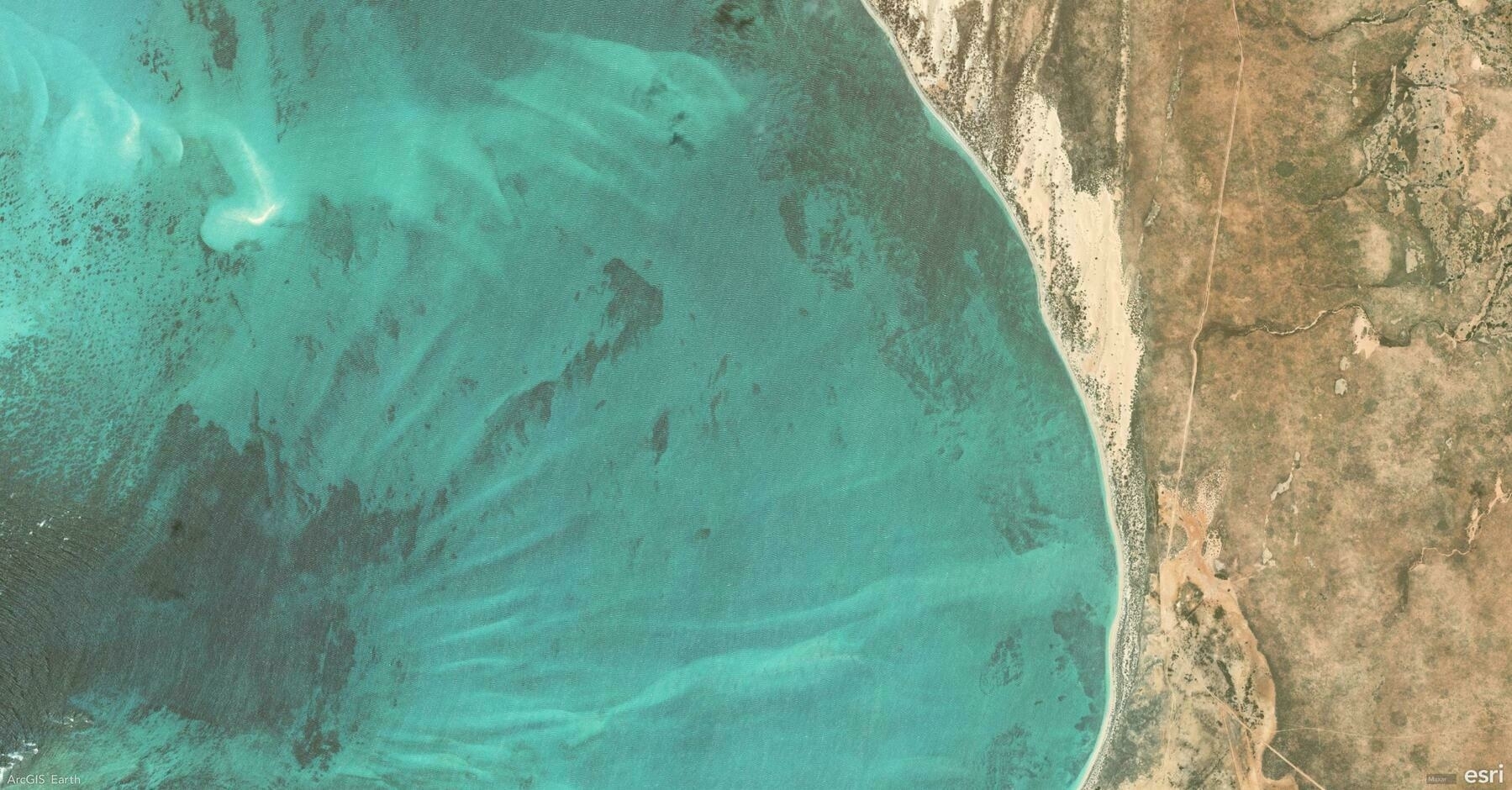
    Screenshot of Ningaloo, Australia, from ArcGIS Earth
    → 7:54 PM, Feb 13
    Also on Bluesky
  • 2025-02-12

    Today, we discovered that our previous fix for the identify issue was only partial and might not address the root cause. After discussions and testing various solutions, a late-day conversation with a colleague led me to identify and resolve the underlying problem, potentially improving related performance issues.

    In the evening, Hamer called about purchasing a backpack she found on Taobao and reminded me of our planned shopping trip.

    A young girl wearing a pink and white coat walks down an aisle in a supermarket filled with various beverages and household items.
    → 9:57 PM, Feb 12
    Also on Bluesky
  • 🌍 #ArcGISEarth230Tips | Tip 16: Seamlessly Integrate ArcGIS Earth with ArcGIS Online & Enterprise 🔗🌐

    Did you know?

    ArcGIS Earth connects directly to ArcGIS Online and ArcGIS Enterprise, giving you seamless access to your organization’s maps, layers, and 3D content. Whether in the field or the office, integrating with your GIS portal streamlines workflows and enhances collaboration.

    🛠️ How to Connect ArcGIS Earth to ArcGIS Online & Enterprise:

    1️⃣ Sign In for Instant Access 🔑🌍 Click Sign In and enter your ArcGIS Online or Enterprise credentials to unlock web maps, feature services, and 3D scene layers—no manual file imports needed.

    2️⃣ Browse and Add Your Organization’s Data 📂🔎 Explore hosted feature layers, tiled basemaps, and 3D scenes from your portal. With just a few clicks, you can integrate authoritative GIS data directly into ArcGIS Earth and visualize it in 3D space.

    3️⃣ Share Your Work Back to the Portal 📤✨ Export projects as KMZ files and upload them to ArcGIS Online or Enterprise, ensuring your team can access the latest updates across ArcGIS Earth, ArcGIS Pro, and Web GIS applications.

    🚀 Pro Tips:

    1️⃣ Choose the Right Authentication – ArcGIS Earth supports multiple authentication options, including Built-in, IWA, PKI, SAML, and Kerberos security. 2️⃣ Manage Multiple Portals – Use Portal Manager to add, switch, or remove ArcGIS Online and ArcGIS Enterprise connections with ease. 3️⃣ Sign In via Web Browser – ArcGIS Earth allows browser-based authentication, providing an alternative to direct login methods for added flexibility.

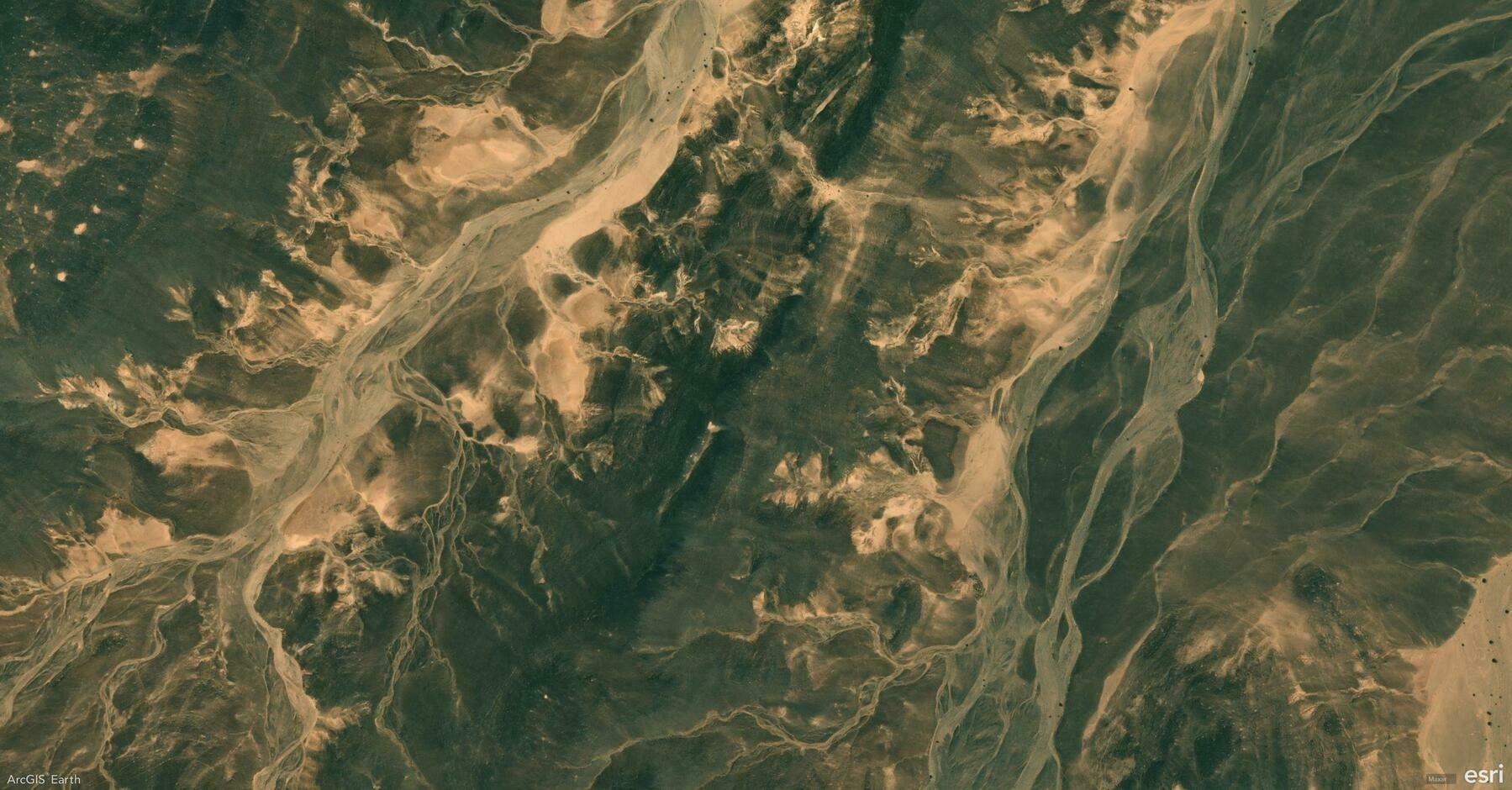
    Screenshot of Jufra District, Libya, from ArcGIS Earth
    → 9:25 PM, Feb 12
    Also on Bluesky
  • 2025-02-11

    The second workday remained busy, with meetings, debugging, and issue reporting. Two new colleagues joined the Movie project, and I resolved the “identify” bug, preparing a minimal reproducible case for submission.

    In the evening, I played badminton, expecting to struggle but feeling surprisingly at ease. Later, we had dinner at Hamer’s friend Liuliu’s house, where her parents served a delicious meal with hometown specialties. The lively conversation and good food made for a delightful evening.

    A family is gathered around a dining table, clinking glasses together over a meal.
    → 10:57 PM, Feb 11
    Also on Bluesky
  • 🌍 #ArcGISEarth230Tips | Tip 15: Simulate Sunlight and Shadows with the Daylight Tool ☀️🌎

    Did you know?

    ArcGIS Earth’s Daylight Tool lets you visualize sunlight and shadow movement across any location at different times of the day and year. Whether you’re analyzing building shadows, planning solar energy installations, or assessing seasonal daylight impact, this tool brings a new level of realism and insight to your 3D scene.

    🛠️ How to Use the Daylight Tool for Advanced Analysis:

    1️⃣ Simulate Sunlight at Any Time & Date 🌞⏳ Activate the Daylight Effect and use the time slider or calendar selector to observe how the sun’s position changes throughout the day and across seasons. This is crucial for urban development, solar potential studies, and landscape design.

    2️⃣ Animate Sunlight to Show Changes Over Time 🌅🎥 Enable Animate Sunlight and Shadows to visualize daily or yearly cycles. This helps analyze how shadows shift over time, which is key for protecting parks from high-rise shading, ensuring optimal daylight exposure, and improving building placement.

    3️⃣ Fine-Tune Visibility with Shadows and Time Zones ☁️🕰️ Turn on Show Shadows to understand how terrain and structures interact with sunlight. Adjust the time zone for accurate sun positioning worldwide, ensuring reliable analysis for global projects.

    🚀 Pro Tips:

    1️⃣ Use daylight animation to create seasonal shadow impact studies for urban planning. 2️⃣ Bookmark specific daylight settings to compare sun angles across different seasons. 3️⃣ Adjust atmospheric effects for more realistic lighting and shading.

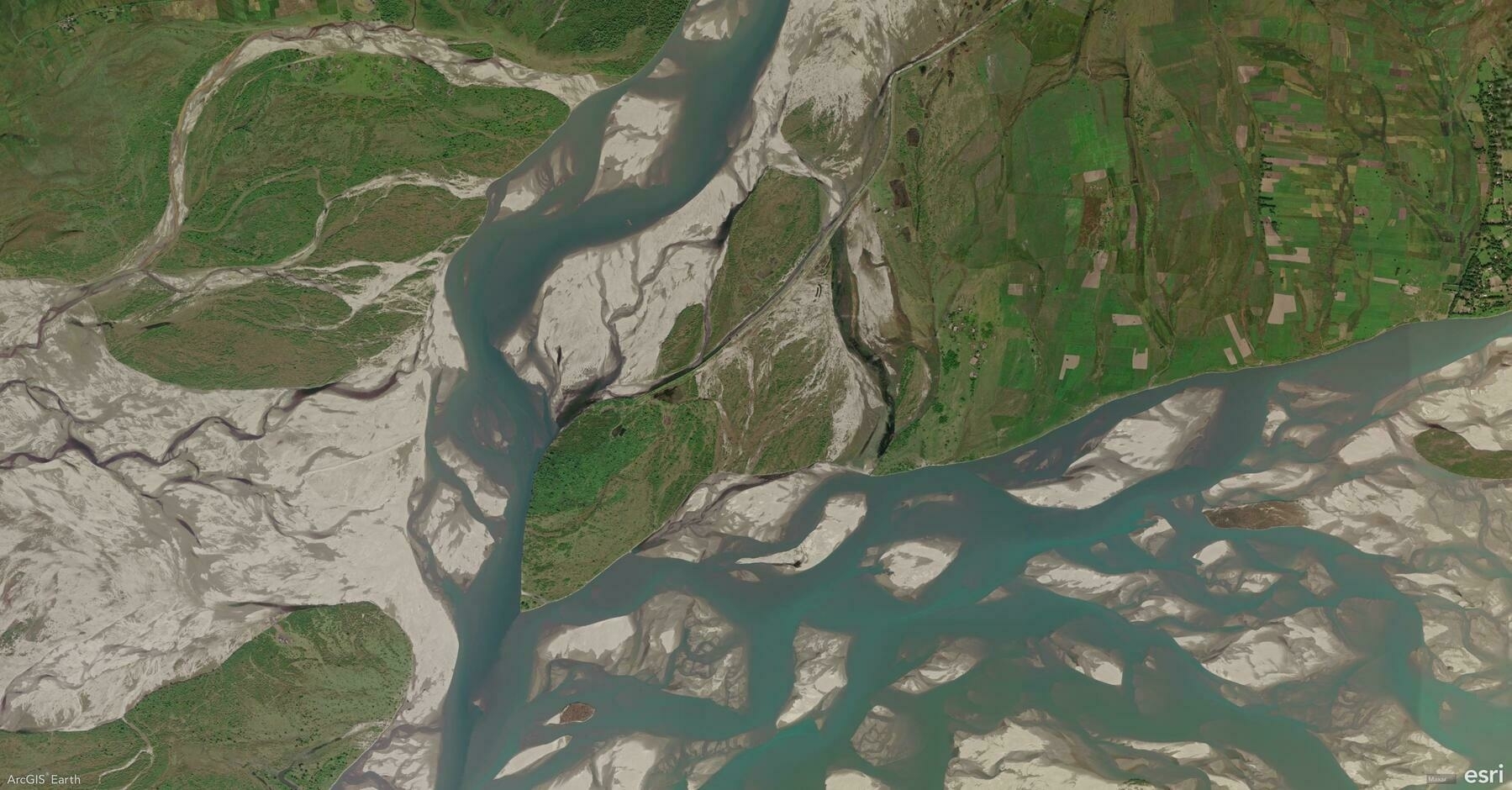
    Screenshot of No.2 Karmi, India, from ArcGIS Earth
    → 10:36 PM, Feb 11
    Also on Bluesky
  • 2025-02-10

    Returning to Beijing marked the start of a new year.

    The train ride felt short for Hamer, who hadn’t slept enough. My night was restless, waking up from station noises or checking on her.

    The workday was packed—clearing emails, handling invoices, picking up my passport, and debugging an identify issue.

    Hamer spent the day playing with her friend. In the evening, Hamer’s friend’s parents joined us for dinner, and we had a great time chatting over the meal.

    A man takes a selfie in front of a large building with a clock, accompanied by a child and another person with luggage.
    → 11:20 PM, Feb 10
    Also on Bluesky
  • 🌍 #ArcGISEarth230Tips | Tip 14: Unlock the Hidden World with Underground Mode ⛏️🌎

    Did you know?

    ArcGIS Earth’s Underground Mode allows you to explore and analyze subsurface environments, helping you visualize tunnels, mines, pipelines, and geological formations with ease. Whether for mining safety, utility inspections, or subterranean navigation, this tool provides a new dimension to GIS mapping.

    🛠️ How to Use Underground Mode for Visualization & Analysis:

    1️⃣ Navigate Seamlessly Below the Surface 🔍

    Activate Underground Mode to make the terrain transparent and reveal subsurface features like abandoned mines, underground utilities, and geological structures. Use 3D navigation tools to move through tunnels and passageways as if you were underground.

    2️⃣ Conduct Interactive Subsurface Analysis 👁️

    With tools like Line of Sight, simulate what a miner, engineer, or emergency responder would see within an underground system. Visualizing sightlines in mine shafts, sewer systems, or disaster response zones ensures better situational awareness and safety planning.

    3️⃣ Integrate High-Precision 3D Data for Realism 📡

    Load LIDAR point clouds and 3D scene layers to enhance the accuracy of underground modeling. Detailed underground visualizations assist in mine inspections, structural integrity assessments, and environmental impact evaluations.

    🚀 Pro Tips:

    1️⃣ Adjust Terrain Transparency to balance surface and subsurface visibility.

    2️⃣ Use Elevation Exaggeration to emphasize subtle underground formations.

    3️⃣ Enhance Safety Planning by integrating mine layouts and tunnel blueprints into your scene.
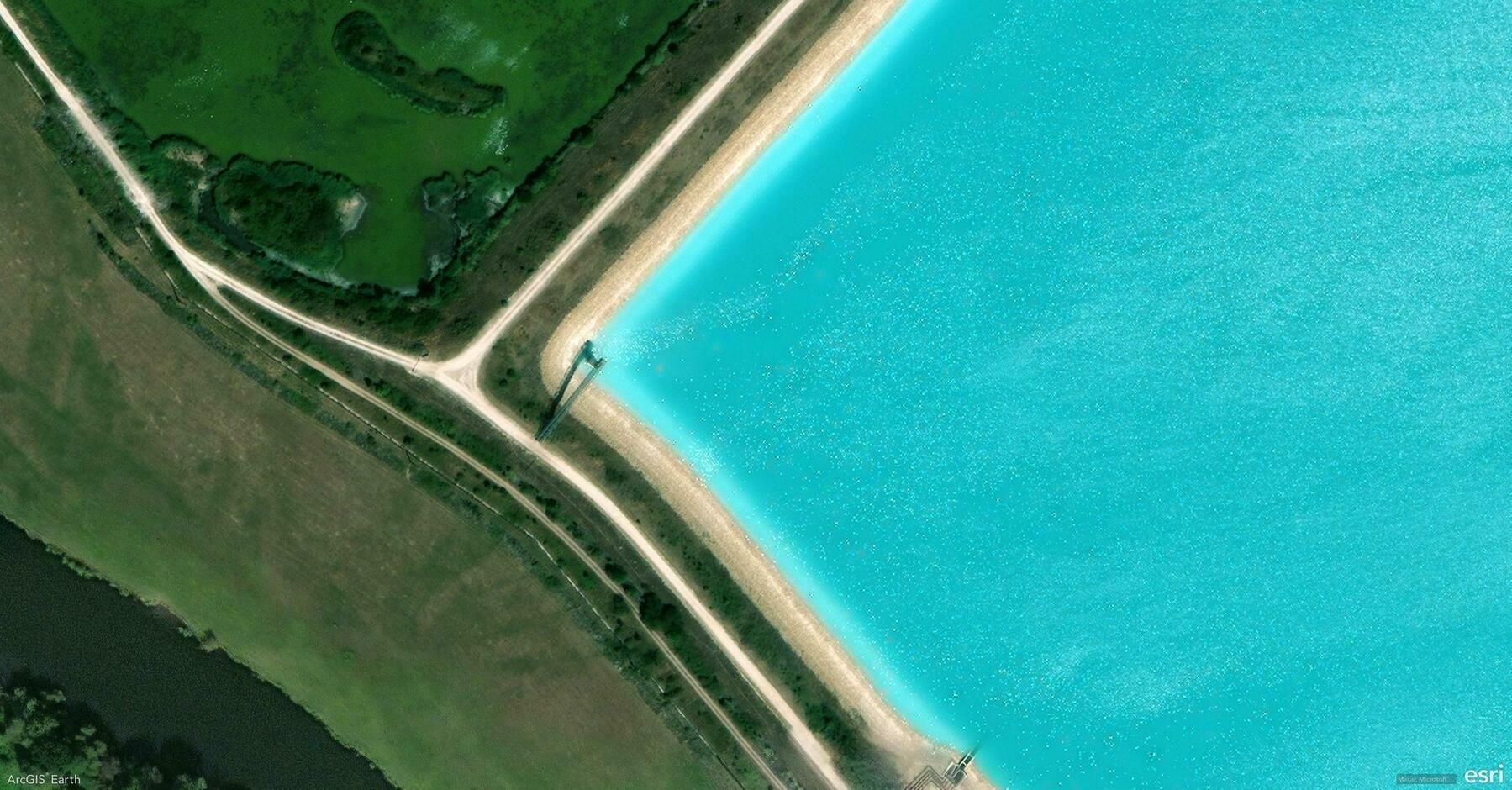
    Screenshot of Laneuveville-devant-Nancy, France, from ArcGIS Earth
    → 10:59 PM, Feb 10
    Also on Bluesky
  • 2025-02-09

    After a busy day, it was time to head back to Beijing.

    In the early morning, I decided to travel through Changsha instead of the original plan to Beijing. We visited Xiaoyan’s aunt at the hospital, where we were relieved to find her recovering well.

    Later, Hamer and I had a great time playing with her cousin. After dinner, I visited Xiaoyan’s aunt again with her siblings.

    At night, Hamer was excited to travel by sleeper train, though she was initially nervous about sleeping on the top bunk—yet fell asleep peacefully soon after.

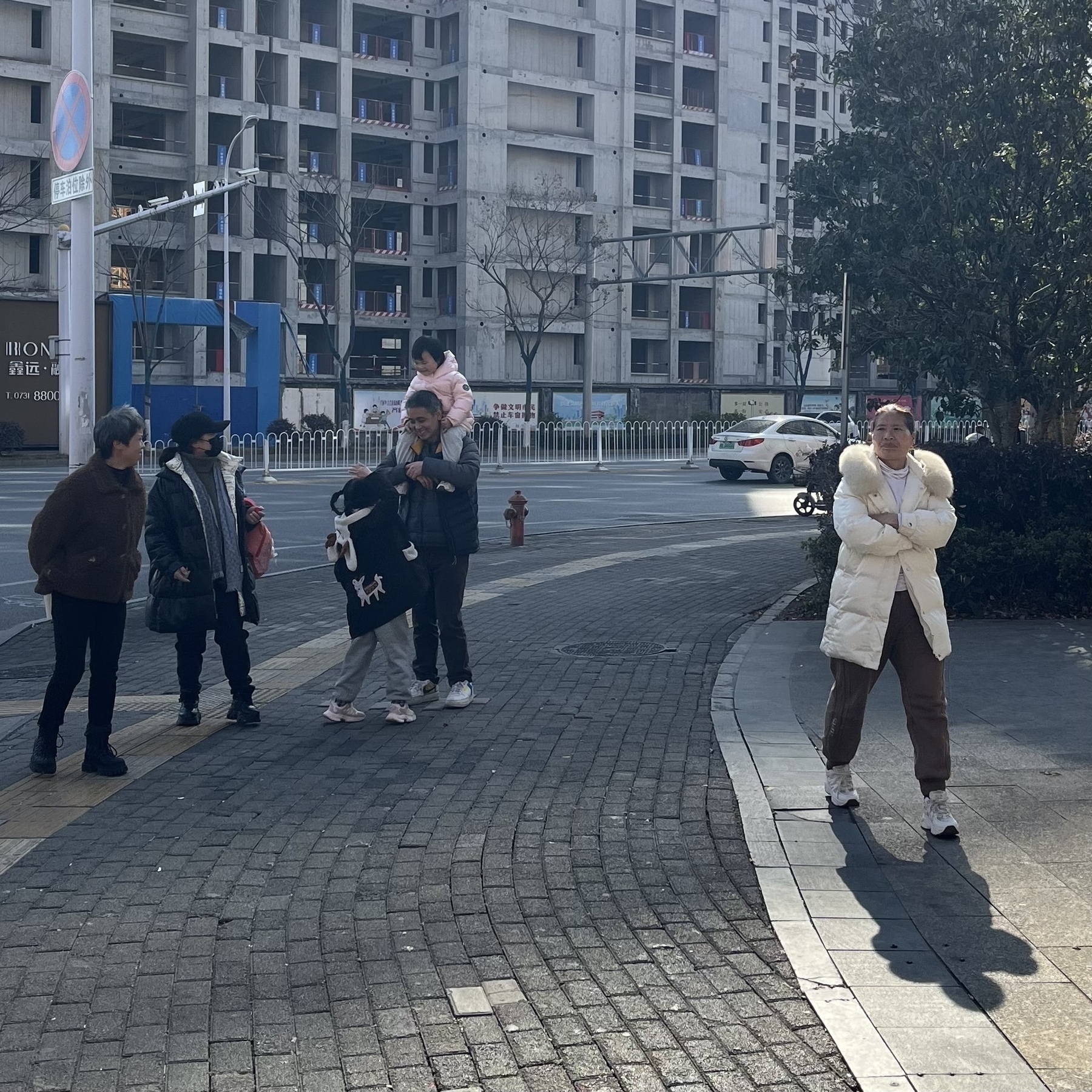
    Several people are walking and standing on a city sidewalk near a large building, with trees and a street in the background.
    → 11:54 PM, Feb 9
    Also on Bluesky
  • 2025-02-08

    The Last Day at Home: A Warm Farewell

    This morning, the sun was shining brightly, and the weather felt perfect. I brought my uncle outside to walk and soak up the warmth.

    After lunch, I took my mom and Hamer into town to buy groceries for dumplings and snacks for our train ride. In the afternoon, the sun gradually disappeared, and the air grew colder and colder.

    In the evening, the whole family gathered to prepare dumplings, with the kids enthusiastically joining in.

    the whole family joined in to make dumplings. (A group of people, including a child, are gathered around a table making dumplings, with a bowl of filling nearby.)
    → 9:45 PM, Feb 8
    Also on Bluesky
← Newer Posts Page 38 of 112 Older Posts →
  • RSS
  • JSON Feed
  • Lucky
  • Archive
  • About