Puran
TIL Photos Reading Weekly Current Shelf Search Stats
  • 2025-03-04

    This morning, I was startled awake by Hamer’s alarm clock and was surprised to see that it was already 7 AM. Yet, I still felt drowsy. I hadn’t gone to bed particularly late last night, but for some reason, I was still exhausted.

    I spent the entire morning in meetings, discussing features and the schedule for next week’s meetings, only to realize there were still many details that needed to be filled in. At noon, I had lunch with a colleague and also grabbed a cup of coffee from her. In the afternoon, I was busy revising the PR I submitted yesterday and finally managed to merge it into the main branch just before heading out for badminton.

    In the evening, when I got home, Hamer wasn’t too keen on eating dinner—probably because there wasn’t anything she particularly liked. After dinner, we watched TV together. During the music segment of Zombie 2, she started singing along, which really surprised me—she sang so well!

    Hamer in front of the school gate
    → 9:29 PM, Mar 4
    Also on Bluesky
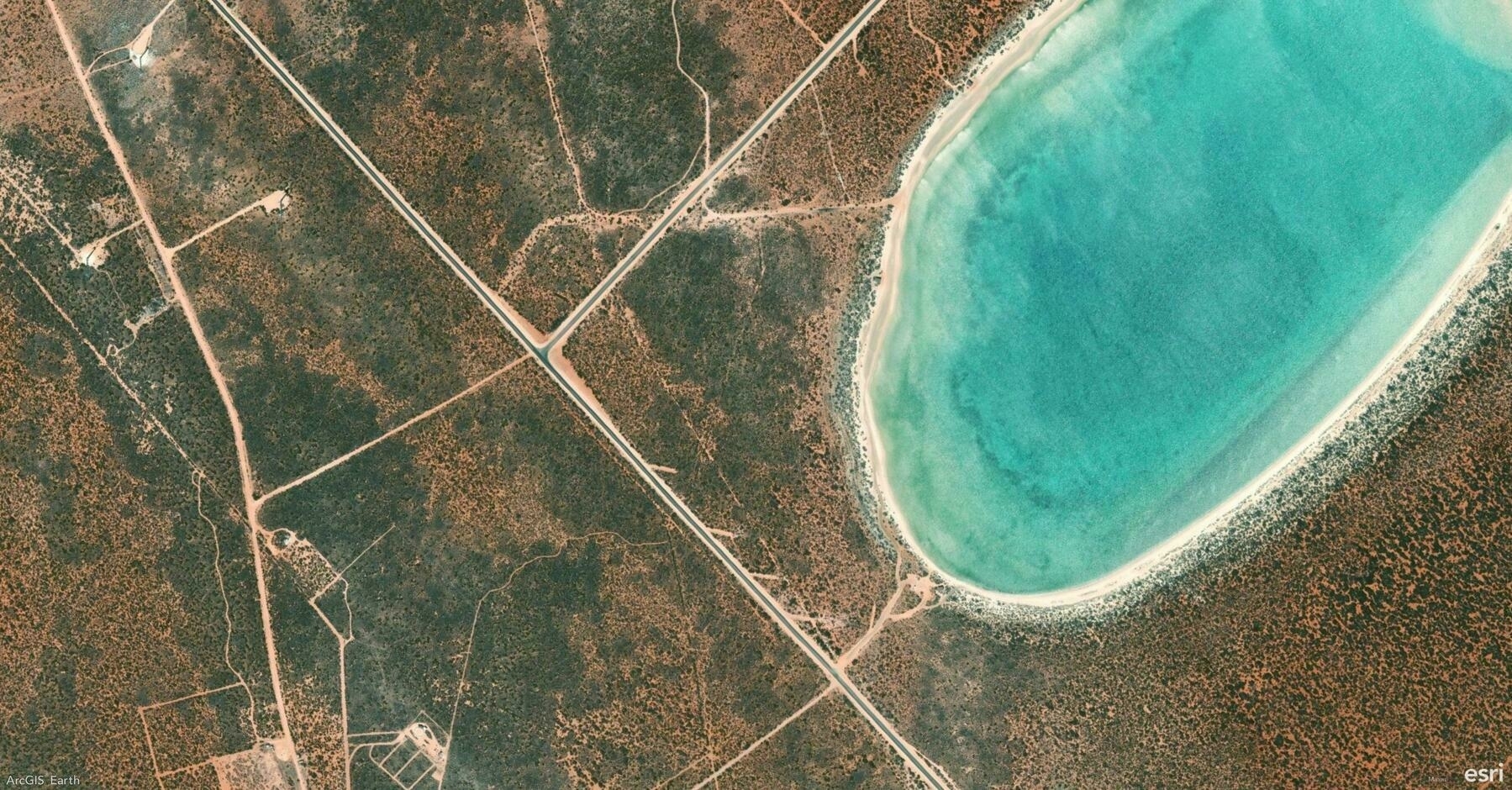
  • 🌍 #ArcGISEarth230Tips | Tip 30: Instantly Retrieve Location Details with "What's Here" 📍🔍

    Did you know?

    With ArcGIS Earth’s “What’s Here” tool, you can instantly identify addresses, coordinates, and place names anywhere on the globe—just by right-clicking! Whether you’re planning routes, verifying locations, or working offline, this tool delivers real-time insights without needing external apps.

    🛠️ How to Use “What’s Here” in ArcGIS Earth:

    1️⃣ Find Any Location 📌 Right-click anywhere on the globe and select “What’s Here” from the menu.

    2️⃣ Get Location Insights 🏠 Instantly retrieve addresses, coordinates, and place names for easy reference and analysis.

    3️⃣ Work Offline with Locators 🌍 Use reverse geocoding even offline with your own locators included in mobile map and scene packages.

    🚀 Pro Tips:

    1️⃣ Copy & Share Location Data – Quickly copy coordinates and addresses for reports, routing, or collaboration. ✂️ 2️⃣ Save Key Locations – Right-click and save as a KML point for future reference or integration with other GIS tools. 📍

    Screenshot of Denham, Australia, from ArcGIS Earth
    → 9:06 PM, Mar 4
    Also on Bluesky
  • 2025-03-03

    This morning started on a positive note after last night’s heavy conversation with Xiaoyan. I had expressed my feelings about her impatience, fearing it might create distance, but to my relief, she initiated a casual chat over breakfast.

    At work, I finally submitted the first version of the Stream Service PR—over 5,000 lines of code, which should be split and will be a challenge to manage in the future.

    At home, I had a discussion with Hamer about keeping our commitment to not eating out, leading to a tough but necessary decision. Later, she showed resilience in facing a setback while finishing her homework, proving that her adaptability is growing.

    Hamer quickly adjusted her emotions and turned to her grandma for help
    → 8:54 PM, Mar 3
    Also on Bluesky
  • 🌍 #ArcGISEarth230Tips | Tip 29: Maximize Survey123 Integration in ArcGIS Earth 📊📍

    Did you know?

    ArcGIS Earth now seamlessly integrates with Survey123, enabling you to collect, review, and analyze survey data within a 3D environment. Whether you’re a field worker gathering real-time data or a stakeholder conducting QA/QC, this integration enhances accuracy, efficiency, and spatial insights.

    🛠️ How to Use Survey123 in ArcGIS Earth:

    1️⃣ Add a Survey Form ➕ Browse surveys from your organization or ArcGIS Online, then search and add a Survey123 form to the globe.

    2️⃣ Submit or Edit Records ✍️ Right-click a Survey123 form in the Table of Contents to submit a new record or update existing ones.

    3️⃣ Streamline Data Entry 🔄 Auto-populate surveys by selecting a feature—ArcGIS Earth dynamically transfers both attributes and geometry into the form.

    4️⃣ Enhance Decision-Making 🎯 Embed Surveys for QA/QC: Visualize, review, and update incoming records while analyzing data in 3D.

    🚀 Pro Tips:

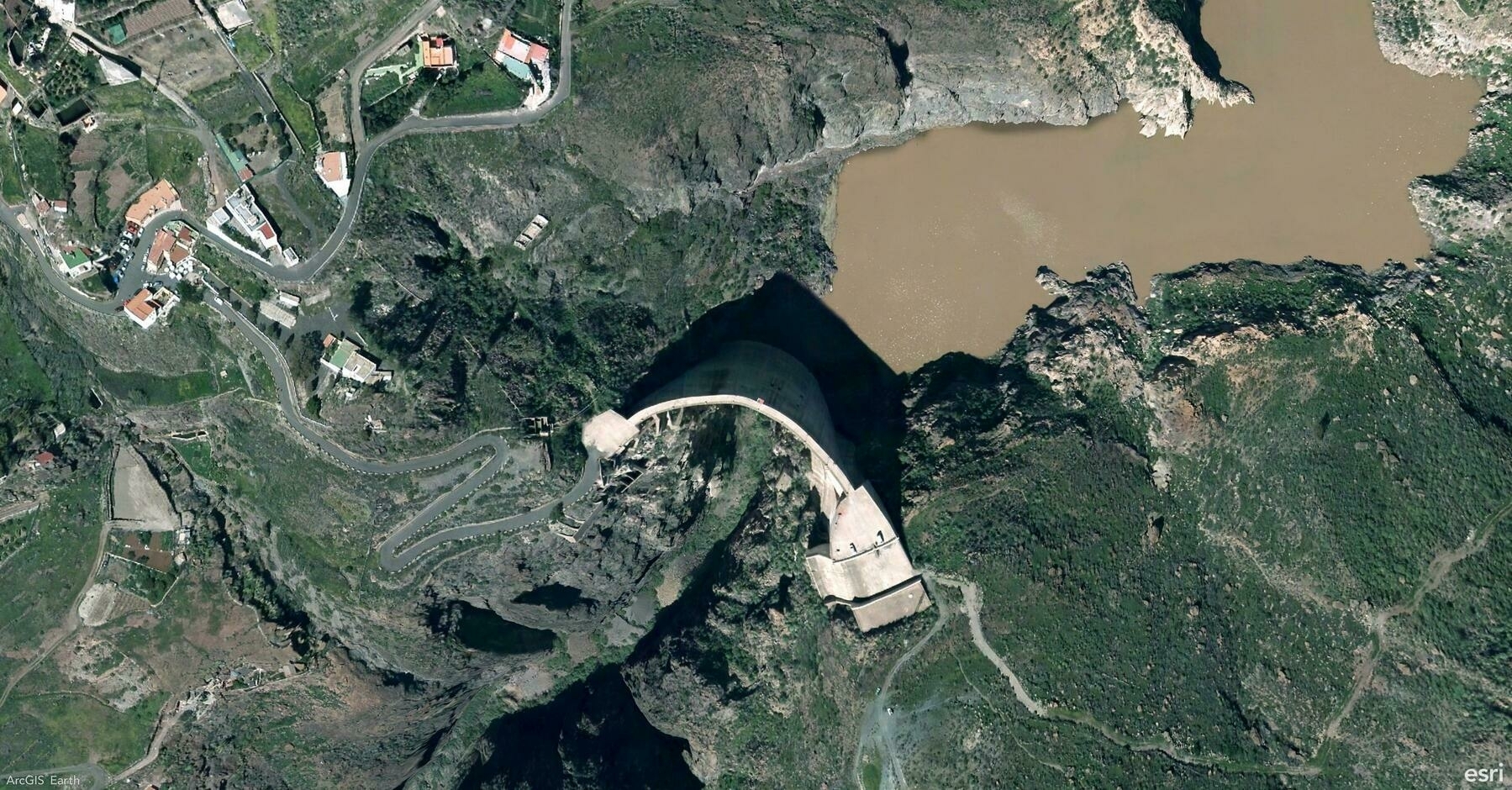
    1️⃣ Customize Visualization – Adjust symbology and labels to highlight key insights. 🎨 2️⃣ Modify Geometry – Click Set Location in the survey window to update a record’s spatial position directly in ArcGIS Earth.

    Screenshot of Mogán, Spain, from ArcGIS Earth
    → 8:21 PM, Mar 3
    Also on Bluesky
  • 2025-03-02

    Our Sunday routine may now be set—badminton followed by luosifen!

    The morning was slow, but I went to Xiaoguan Market to get fish before it relocates to “Seventh Market.” Lunch led to a small standoff between Xiaoyan and Hamer over brushing teeth, but they made up after badminton. While playing, I reminded Hamer to pick up shuttlecocks properly, and she eventually improved, which made me proud.

    Dinner was fun, with the kids struggling through the spicy luosifen but finishing every bite. It was a simple but fulfilling day.

    Xiaoyan helped kids to prepare luosifen
    → 10:23 PM, Mar 2
    Also on Bluesky
  • Hamer has been very attached to Xiaoyan, especially last night. Before bed, the two of them sat on the mat in the living room for over half an hour, listening to music, chatting, singing, and playing brain teasers. Seeing them so happy together warmed my heart.

    Hamer and Xiaoyan sat on the mat to play last night.
    → 11:40 PM, Mar 1
    Also on Bluesky
  • 2025-03-01

    This morning, despite the gloomy weather, I went for a run with Hamer and later had breakfast at a bustling market. We met one of her classmates, who showed her around while I queued for pig’s head meat, a traditional dish for this lunar date.

    In the afternoon, Hamer stuck to Xiaoyan, and I worked on Stream Service.

    At night, we watched Nezha with Hamer’s uncle, enjoying the film and a refreshing walk home.

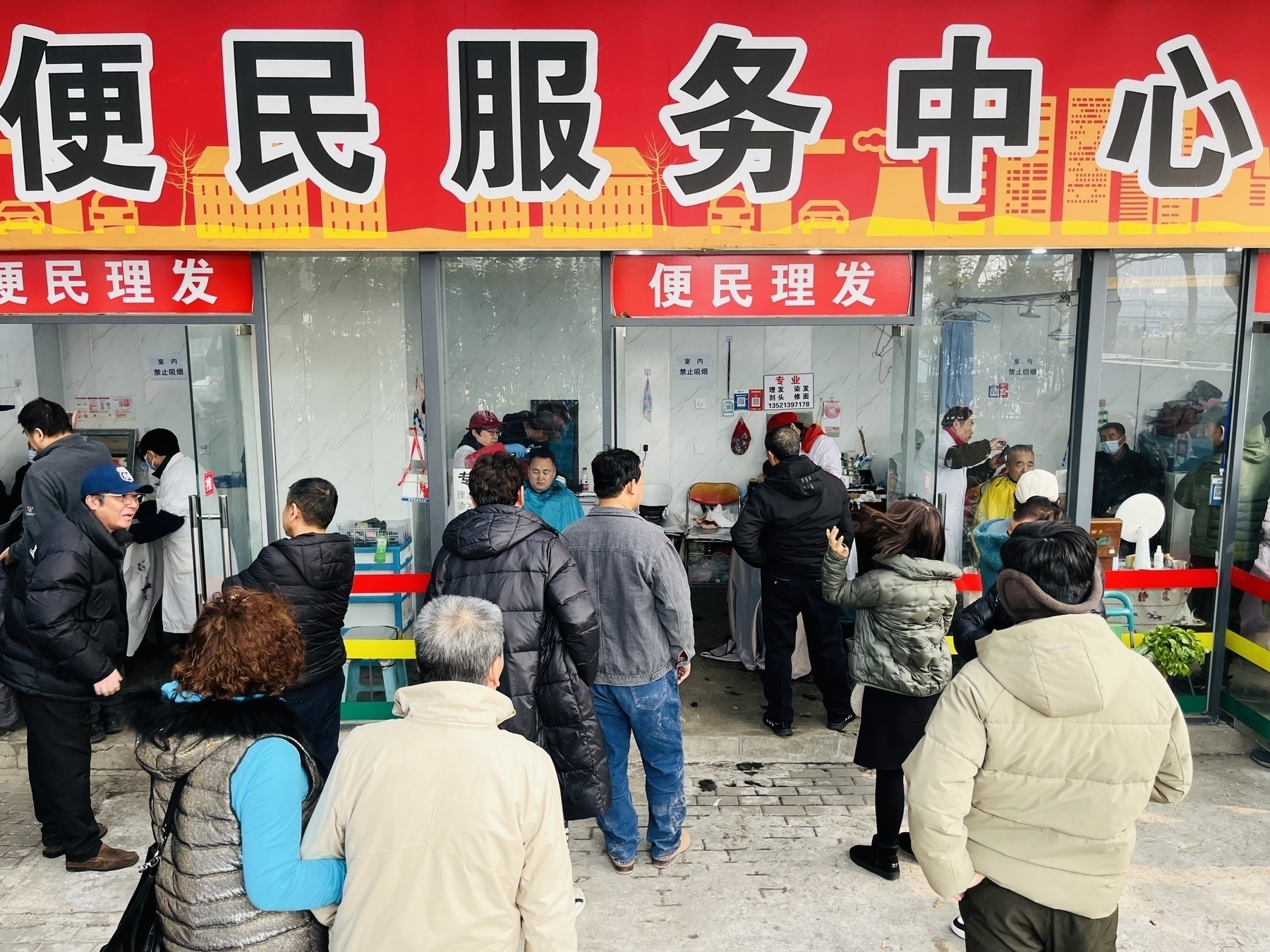
    Today is the second day of the second lunar month, and there's a tradition of cutting hair. The nearby barbershop was bustling, with long lines at all five service windows.
    → 11:36 PM, Mar 1
    Also on Bluesky
  • 2025-02-28

    TGIF.

    Today, I completed most of the UI and workflow setup for Stream Service. My leader has been asking for the last chance for me to attend the Dev Summit, though unsuccessfully.

    In the morning, Xiaoyan’s response left me feeling a little down.

    A person wearing glasses and earphones is looking directly at the camera outdoors on a sunny day.
    → 9:15 PM, Feb 28
    Also on Bluesky
  • 🌍 #ArcGISEarth230Tips | Tip 28: Visualize Changes Over Time with Time-Enabled Data Animation ⏳📊

    Did you know?

    ArcGIS Earth provides powerful time-based animation tools that allow you to track changes in spatial data over time. Whether analyzing climate change, infrastructure development, or disaster progression, the time slider and playback controls help bring your data to life with smooth, intuitive animations.

    🛠️ How to Use Time-Enabled Data Animation in ArcGIS Earth:

    1️⃣ Load and Activate Time-Enabled Data ⏳ Add KML/KMZ files, feature services, or image services that contain time attributes. The time slider appears automatically at the bottom of the screen and dynamically adjusts based on active layers.

    2️⃣ Control and Navigate Temporal Data 🎛️ Drag the time slider or select specific dates to set the start and end time. Click Play to animate the dataset and use Next/Previous buttons to step through time intervals.

    3️⃣ Customize Playback for Better Analysis 🎥 Fine-tune playback by setting it to repeat, reverse, or stop after a full cycle. Adjust animation speed for faster or slower transitions. Switch between UTC and local time for accurate time zone adjustments.

    🚀 Pro Tips:

    1️⃣ Analyze Multi-Layer Time Series – Overlay multiple time-enabled datasets (e.g., wildfire spread and population density) to observe interactions over time. 2️⃣ Optimize Performance – Enable only relevant KML nodes to ensure smooth animations without unnecessary visual clutter. 3️⃣ Refine Time Ranges – Adjust time intervals to highlight key events and make trends more apparent.

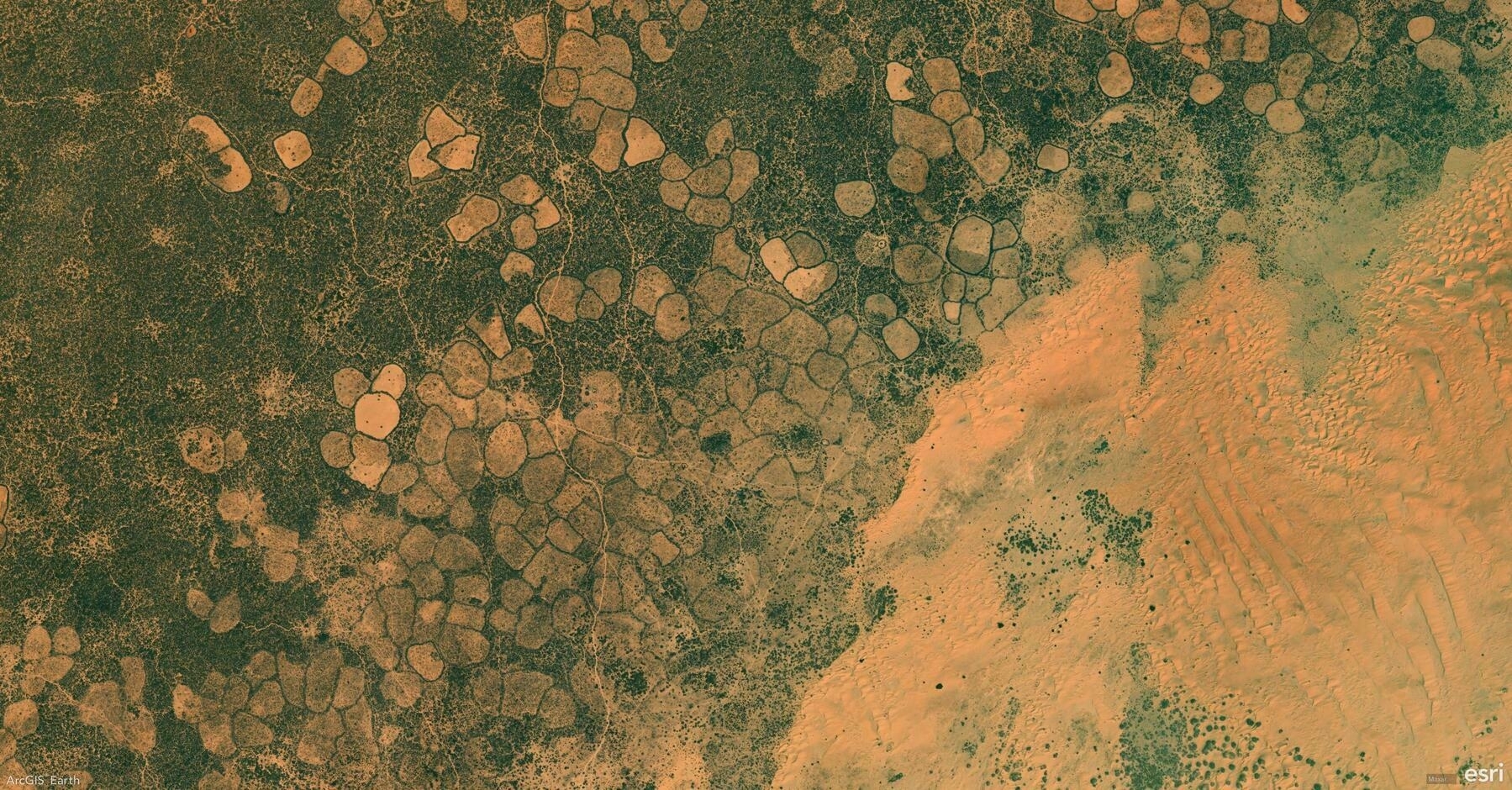
    Screenshot of Ceel Dheer, Somalia, from ArcGIS Earth
    → 8:45 PM, Feb 28
    Also on Bluesky
  • 2025-02-27

    Today, I made a hearty breakfast. It was also our English day, mixing Chinese and English in casual conversation.

    Work went smoothly, with regular breaks and good interactions with colleagues. I played table tennis during lunch and worked overtime in the evening on displaying attribute table content.

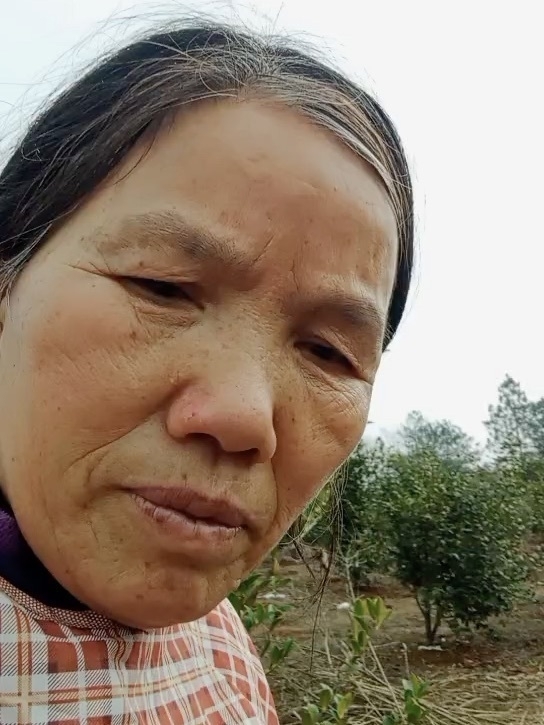
    Mom, with white hair, looks a bit older than she did several weeks ago.
    → 10:39 PM, Feb 27
    Also on Bluesky
← Newer Posts Page 34 of 112 Older Posts →
  • RSS
  • JSON Feed
  • Lucky
  • Archive
  • About