Puran
TIL Photos Reading Weekly Current Shelf Search Stats
  • 2025-04-11

    Last night’s badminton game left me with a twisted ankle, and by morning, it was still sore and uncomfortable to walk on. After dropping Hamer off, I grabbed McDonald’s for breakfast—just had a craving.

    Later, I visited the dentist to follow up on a previous check-up. X-rays revealed an old filling that may need a root canal. For now, I had a cleaning and got a reminder: no horizontal brushing, use an electric toothbrush, floss well, and pay extra attention around my implant.

    In the afternoon, I worked on setting up an old AI project environment. With help from a colleague, I finally got it running and plan to document the process and improve it next week.

    Before heading home, Hamer called and joked that I might get blown away if I didn’t hurry. After dinner, we watched When Life Gives You Tangerines and only realized IU was the lead by episode two.

    The long-anticipated windstorm still hadn’t arrived by bedtime—maybe tomorrow.

    The windstorm is coming
    → 12:02 AM, Apr 12
    Also on Bluesky
  • 🌍 #ArcGISEarth230Tips | Tip 48: Share Your GPS Journeys Easily – Export NMEA as KML! 📤🗺️

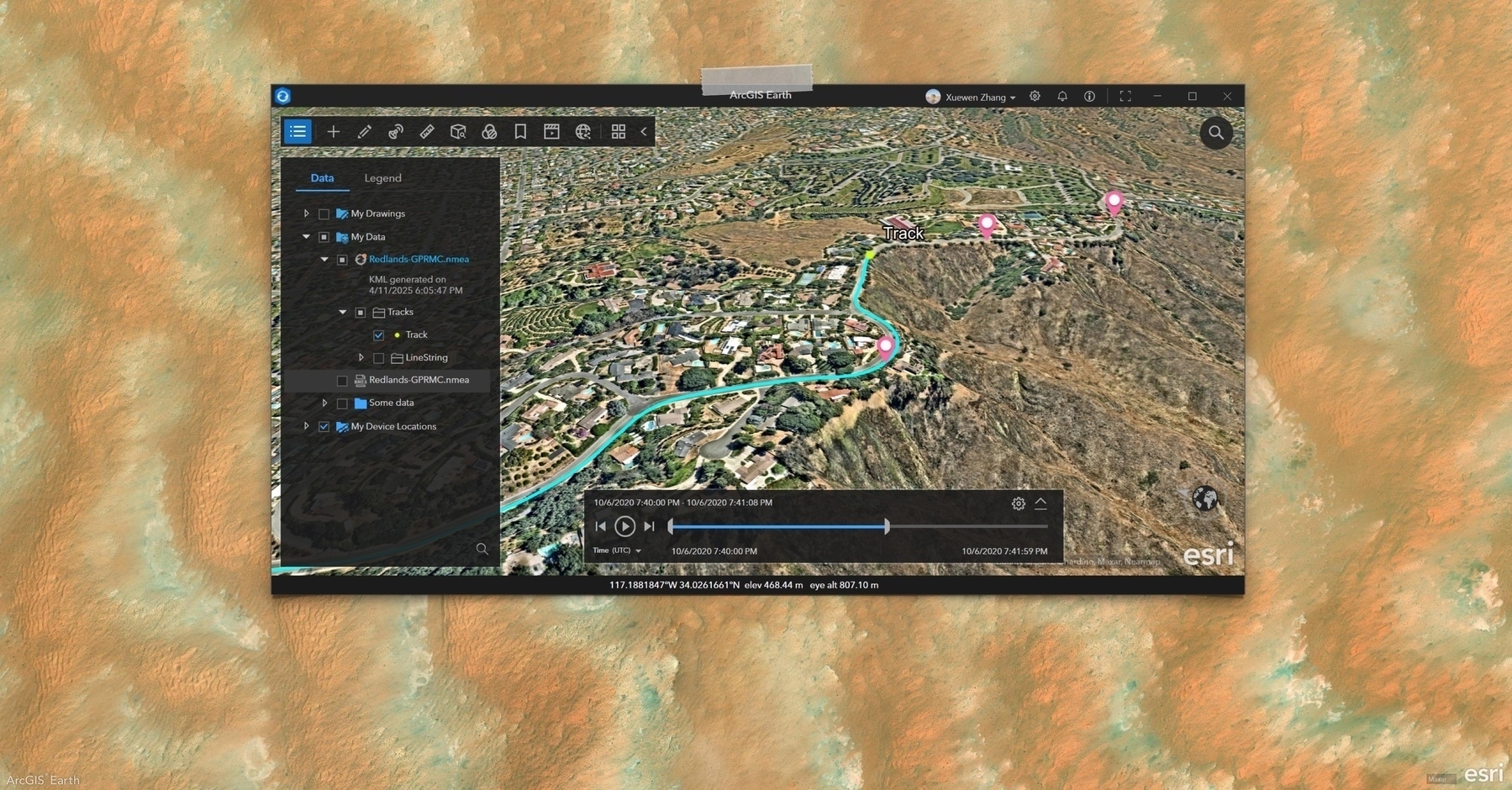
    Want to share or archive your GPS tracks from ArcGIS Earth? Exporting your NMEA layer as a KML file is quick and easy.

    📁 Simple Export:

    After importing and visualizing your NMEA log, right-click the layer and save. You’ll get:

    • Points representing individual GPS fixes.
    • Polylines connecting your track path.

    It’s the perfect way to share your routes or archive valuable tracking data.

    🚀 Coming Soon: Enhanced KML Tracks:

    Currently, ArcGIS Earth exports points and lines to KML. Stay tuned for full KML Track support, including timestamped playback and richer temporal visualization!

    ✨ ArcGIS Earth empowers you to not only review your GPS logs but also transform them into easily shareable and presentation-ready KML files.

    Screenshot of Boutilimit, Mauritania, from ArcGIS Earth
    → 11:40 PM, Apr 11
    Also on Bluesky
  • 2025-04-10 TIL: AI Model Performance Analysis

    2025-04-10 TIL: AI Model Performance Analysis

    💻

    AI Model Performance Analysis

    This analysis highlights the tradeoffs between model size, speed, and tool-calling capabilities across different AI models. Llama3.1:8b appears to offer the best balance of features, while llama3.2:3b provides a good compromise between size and functionality.

    Model Size Speed Tool Calling Attributes & Notes
    llama3.1:8b 4.9G Good Very well Excellent tool calling capabilities with reasonable speed
    llama3.2:3b 2.0G Fast Well Fast performance with tool calling ability; provides confidence to continue testing. Sometimes lacks accuracy
    qwen2.5:7b 4.7G Fast Well Fast performance with good tool calling capabilities. Performance degrades after extended use
    qwq:32b 19G Slow Well Produces high-quality thought processes that are satisfying. Extremely slow, causing frustration during testing
    qwen2.5:0.5b 397MB Super fast No Exceptional speed due to small size. Unable to call any tools
    MFDoom/deepseek-r1-tool-calling:8b 4.9G Somewhat slow Poor Occasionally demonstrates thought processes. Slow performance with inadequate tool calling
    phi4-mini:3.8b 2.5G Fast No Fast performance and can identify tools. Unable to use the tools it identifies
    mistral:7b 4.1G Fast No Fast performance and can identify tools. Unable to use the tools it identifies
    ishumilin/deepseek-r1-coder-tools:1.5b 3.6G Fast No Fast performance and recognizes tools. Cannot answer questions or execute tools
    → 12:02 AM, Apr 11
    Also on Bluesky
  • 2025-04-10

    Hamer’s been waking up early lately, getting ready calmly and playing on her own before school. After dropping her off today, I grabbed breakfast, ate wontons while waiting for corn, and brought extra food home.

    In the morning, I subscribed to CapWords—originally just out of curiosity, but the heartfelt story behind it deeply resonated with me.

    I spent the day testing local language models with the Earth MCP Server. A larger model was too slow, and a smaller one underperformed, but I eventually got two working and pulled together some solid takeaways. Before wrapping up work, I submitted a documentation PR to the oterm project—my first open-source contribution—and was thrilled to see it merged right away. I hope it’s just the beginning.

    Around noon, I was notified of a seatbelt violation from last Sunday. It surprised me—I’m usually careful—but the photo said otherwise.

    All the talk today was about Beijing’s strong wind forecast. Looks like we’re staying indoors this weekend.

    The seatbelt violation from last Sunday driving
    → 12:00 AM, Apr 11
    Also on Bluesky
  • 🌍 #ArcGISEarth230Tips | Tip 47: Uncover the Hidden Insights in Your NMEA Data! 📑🔍

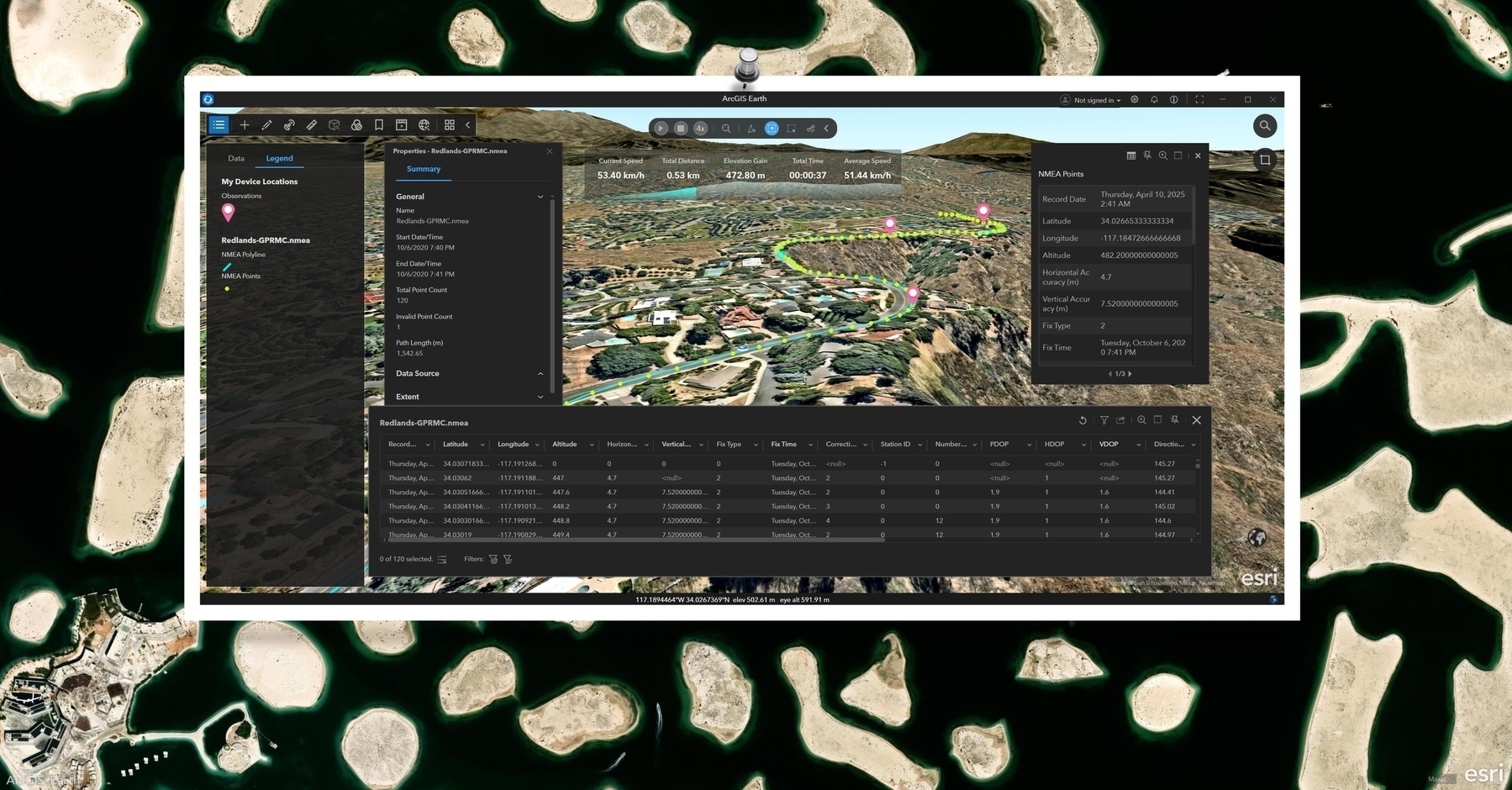
    Think your GPS tracks are just lines? Think again! ArcGIS Earth empowers you to dive deep into the metadata, attributes, and statistics embedded within your imported NMEA layers, revealing the full story.

    📄 Explore Layer Details:

    Right-click the NMEA layer and select “Properties” to access:

    • Metadata: spatial reference, extent, data source, and more.
    • Summary Statistics: a quick snapshot of your dataset’s structure.

    🖱️ Instant Feature Insights:

    • Use the “Identify” tool to click any point or segment and instantly view its attribute information in a pop-up. Perfect for on-the-fly checks during playback or exploration.

    📊 Dive into the Data Table:

    Open the “Attribute Table” to:

    • See all your GPS records in one comprehensive view.
    • Sort, filter, and analyze your data effectively.
    • Select specific records and zoom directly to them on the map.

    ✨ Go beyond the lines! ArcGIS Earth provides the tools to unlock the rich contextual information within your NMEA data, transforming simple tracks into powerful insights.

    Screenshot of Dubai, United Arab Emirates, from ArcGIS Earth
    → 11:21 PM, Apr 10
    Also on Bluesky
  • 2025-04-09

    I started the day by continuing to listen to the ongoing company meeting—by this point, I had followed it from start to finish, which made me feel somewhat involved in the whole session.

    Throughout the day, I explored integrating Ollama with MCP to run local language models. I initially tried Open WebUI’s mcpo to expose MCP as an OpenAPI interface, but I didn’t know how to use the tools it offered. Later, I found oterm, an Ollama client that supports MCP tools. When I couldn’t select tools, I realized that not all models support the tools feature.

    When we got home, Hamer surprised me by pretending to be a waitress—seriously guiding me through removing my shoes, washing up, and serving dinner. Her commitment to the role was both hilarious and sweet. After dinner, we went shopping. I was impressed by how disciplined Hamer has become—carefully choosing only a few things. She’s really growing into a thoughtful, self-controlled little person.

    Hamer was really enjoying her book, and Xiaoyan was equally absorbed in her phone. A child is reading a book on a bed in a cozy room with floral wallpaper and a bookshelf filled with books.
    → 10:53 PM, Apr 9
    Also on Bluesky
  • 🌍 #ArcGISEarth230Tips | Tip 46: Visualize Your GPS Tracks – Style NMEA Data for Impact! 🖌️📍

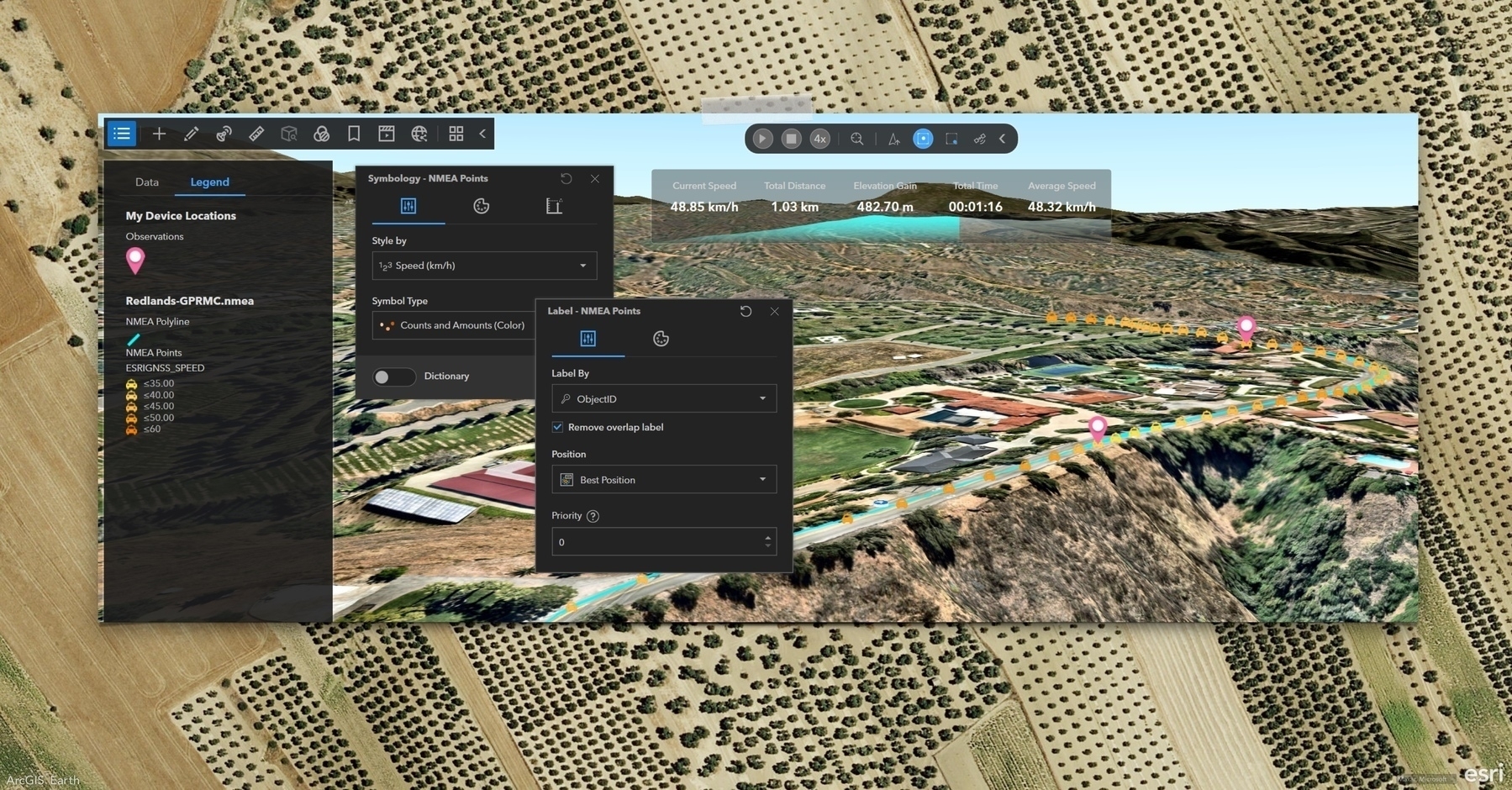
    Imported an NMEA log into ArcGIS Earth? Awesome! Now, transform it into a powerful visual story by customizing its appearance for clearer analysis and compelling presentations.

    🗺️ Control Your View:

    • Right-click the NMEA layer in the Table of Contents and select “Display.”
    • Choose to show Points, Polyline, or Both to focus on key aspects of your track.

    🎨 Style for Insight:

    • Treat your NMEA layer like any feature layer – unleash the power of symbology!
    • Apply color ramps to highlight speed, accuracy, or elevation variations.
    • Adjust size and style for optimal visibility in immersive 3D scenes.

    🏷️ Label for Context:

    • Bring your data to life by labeling attributes like timestamp, speed, or elevation.
    • Enhance analysis and presentations with crucial contextual information.
    • Add dynamic real-time context to your visual playback.

    ✨ Unleash the full potential of your NMEA data! By taking control of display and styling, you transform raw data into insightful and visually captivating narratives.

    Screenshot of Beas, Spain, from ArcGIS Earth
    → 9:07 PM, Apr 9
    Also on Bluesky
  • 2025-04-08

    I went to bed late last night after an online company meeting, and when I woke up, it was still going. I tuned back in and was struck by how open and confident everyone was, regardless of role.

    The rest of the morning was filled with more meetings, but our team meetings felt flat—minimal interaction and little new information. It’s something I’ve been reflecting on.

    I spent the afternoon preparing NMEA data visuals for a presentation and began exploring LM Studio and Ollama’s Python SDK to see how local models might support MCP tasks.

    On the way home, I got my badminton racket restrung, filled a growler with beer, and grabbed barbecue for dinner.

    Xiaoyan and I also considered renting a car for a weekend trip now that I’m confident driving, but the windy forecast led us to postpone until next week.

    The heating pipes in Huanghua are all exposed on the surface. Several insulated pipes are supported by red metal frames next to a building and tree under a dark blue sky.
    → 10:12 PM, Apr 8
    Also on Bluesky
  • 🌍 #ArcGISEarth230Tips | Tip 45: Dive into Satellite & Location Details with NMEA Logs 🛰️📍

    Did you know that ArcGIS Earth not only replays NMEA GPS tracks—but also lets you explore detailed positioning and satellite data at every moment?

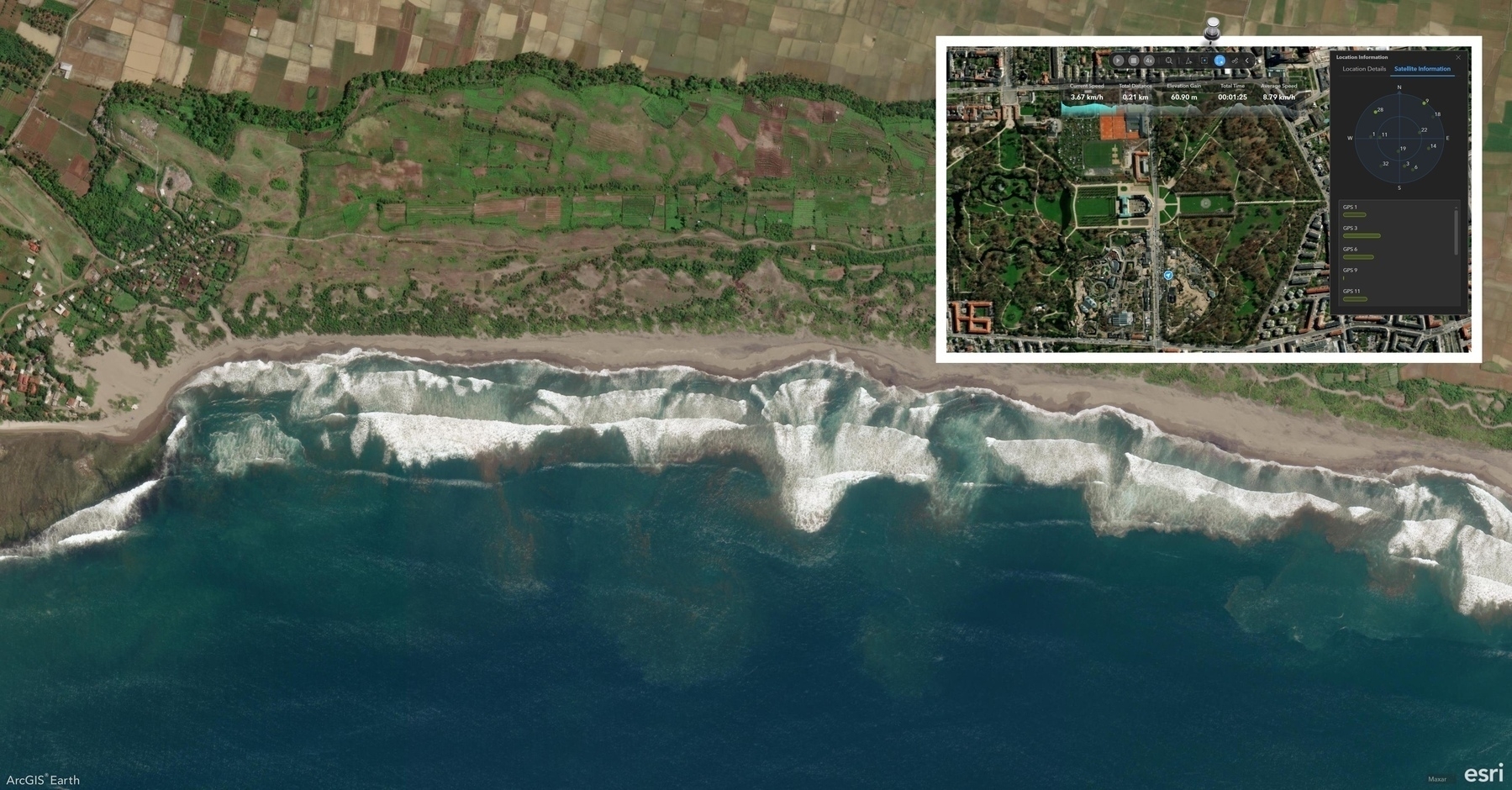
    📍 Go Beyond the Map with Location Information When working with an imported NMEA log, click the Location Information button to open two insightful tabs:

    🧭 Location Details

    Access key metrics about the device’s current position:

    • Latitude, Longitude, Altitude
    • Accuracy level and Fix type
    • HDOP (Horizontal Dilution of Precision)
    • VDOP (Vertical Dilution of Precision)
    • PDOP (Positional Dilution of Precision)

    These details help you assess GPS signal quality and positioning precision throughout the track.

    🛰 Satellite Information

    Visualize the satellite environment in real time:

    • View the relative position of each satellite in the sky
    • Signal strength is displayed with dynamic bars—longer and darker = stronger signal
    • A compass-style map shows satellites orbiting around the device at the center

    ✨ This view updates continuously, giving you a real-time window into satellite coverage and positioning accuracy.

    Screenshot of Garut Regency, Indonesia, from ArcGIS Earth
    → 9:46 PM, Apr 8
    Also on Bluesky
  • 🌍 #ArcGISEarth230Tips | Tip 44: Bring GPS Tracks to Life with NMEA Log Support 🛰

    Did you know ArcGIS Earth supports NMEA log file import, enabling you to visualize and analyze GPS tracks with ease?

    📡 What is NMEA 0183?

    NMEA 0183 is a widely adopted standard developed by the National Marine Electronics Association. It defines how GPS devices and marine instruments—such as sonar, anemometers, autopilots, and more—communicate using simple ASCII “sentences” over serial connections.

    It’s the most common GPS data format, supported by virtually every GPS manufacturer.

    🗺️ ArcGIS Earth Makes It Visual

    Simply import a NMEA-formatted log file into ArcGIS Earth to bring your movements to life on a map.

    🔁 Playback & Insight at Your Fingertips

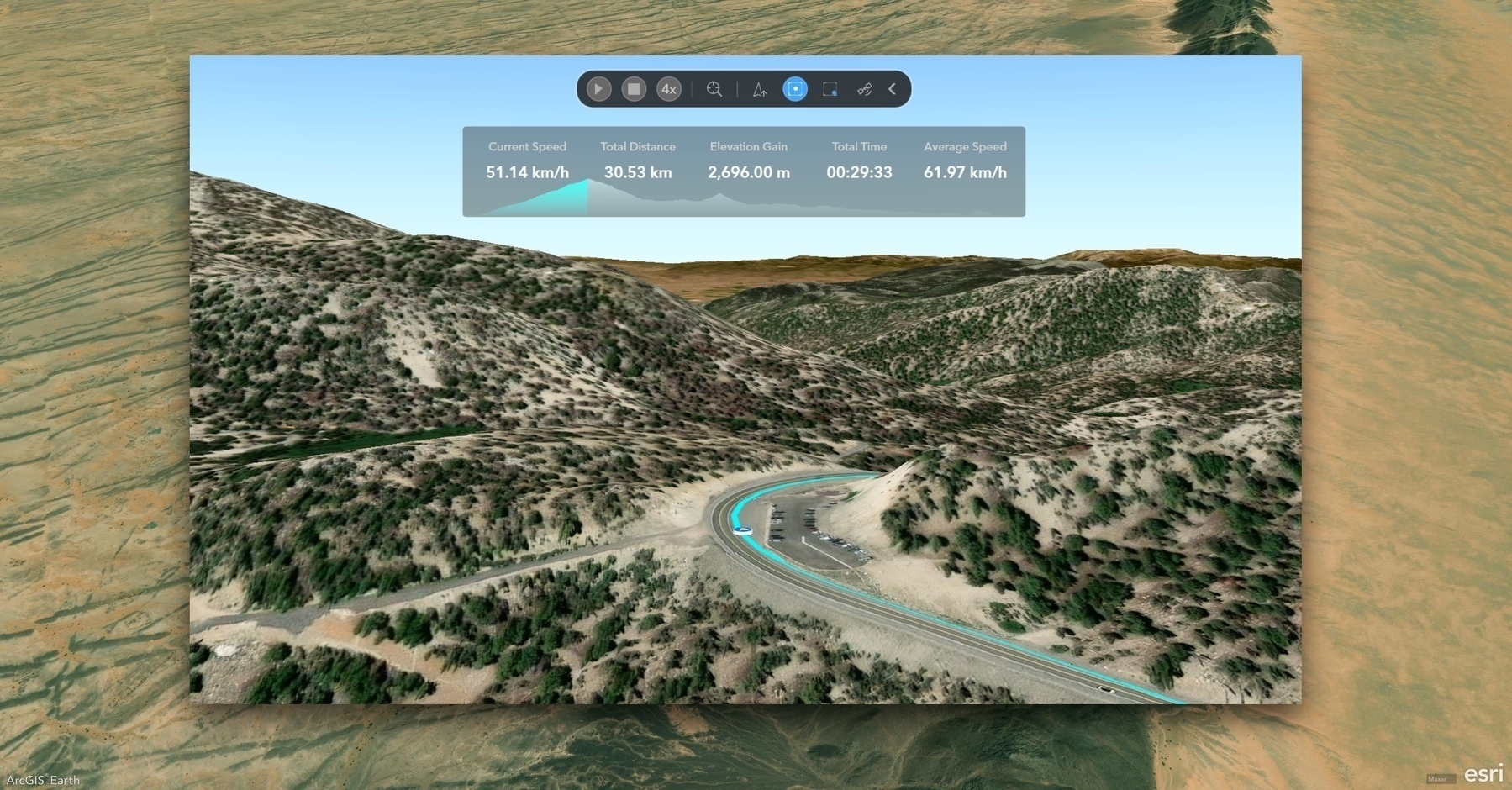
    Once imported, select the NMEA layer to open the GNSS Toolbar and Dashboard:

    • ▶️ Play or pause the GPS track
    • 🐇🐢 Adjust playback speed in real time
    • 🧭 Choose your view mode: Track-Up, Keep at Center, or Keep within Window
    • 📊 View live stats: current speed, total distance, elevation gain, total time, and average speed
    • 📈 Monitor progress with an interactive elevation profile

    🎯 Real-World Application

    Whether you’re reviewing a field mission, validating GPS data, or training with real-world tracks, this feature transforms raw GPS logs into powerful, interactive stories.

    Screenshot of Zug, Western Sahara, from ArcGIS Earth
    → 11:19 PM, Apr 7
    Also on Bluesky
← Newer Posts Page 27 of 112 Older Posts →
  • RSS
  • JSON Feed
  • Lucky
  • Archive
  • About